From product photo to a new shoot
Import your product, create a look, and add your selected results to the same Shopify product.
10 trial credits to get started: 10 images at 2K or 5 at 4K. Paid plans are confirmed by you in Shopify.
Get started in 5 steps
- 1
Import your products
Open My products and select Sync products. Choose a Shopify product that already has at least one clear image.
- 2
Choose a variant and reference photos
Select the product, then choose its color or variant and the images you want to use. Send to studio keeps the product and variant attached to your work.
- 3
Choose the look and create
In Step by step, choose a model, product, outfit, scene and pose. Select 2K or 4K and create your image. Your plan credits cover generation; no personal API key is needed.
- 4
Review your results
Check the product, color and details before publishing. Each successful 2K image uses 1 credit and 4K uses 2. Failed outputs are refunded.
- 5
Send selected images to Shopify
Select successful images and choose Send selected. Set their order, then choose Add or Replace. Add keeps existing media. Replace updates only images with no variant links; variant images, videos and product status are preserved.
What it looks like in the app
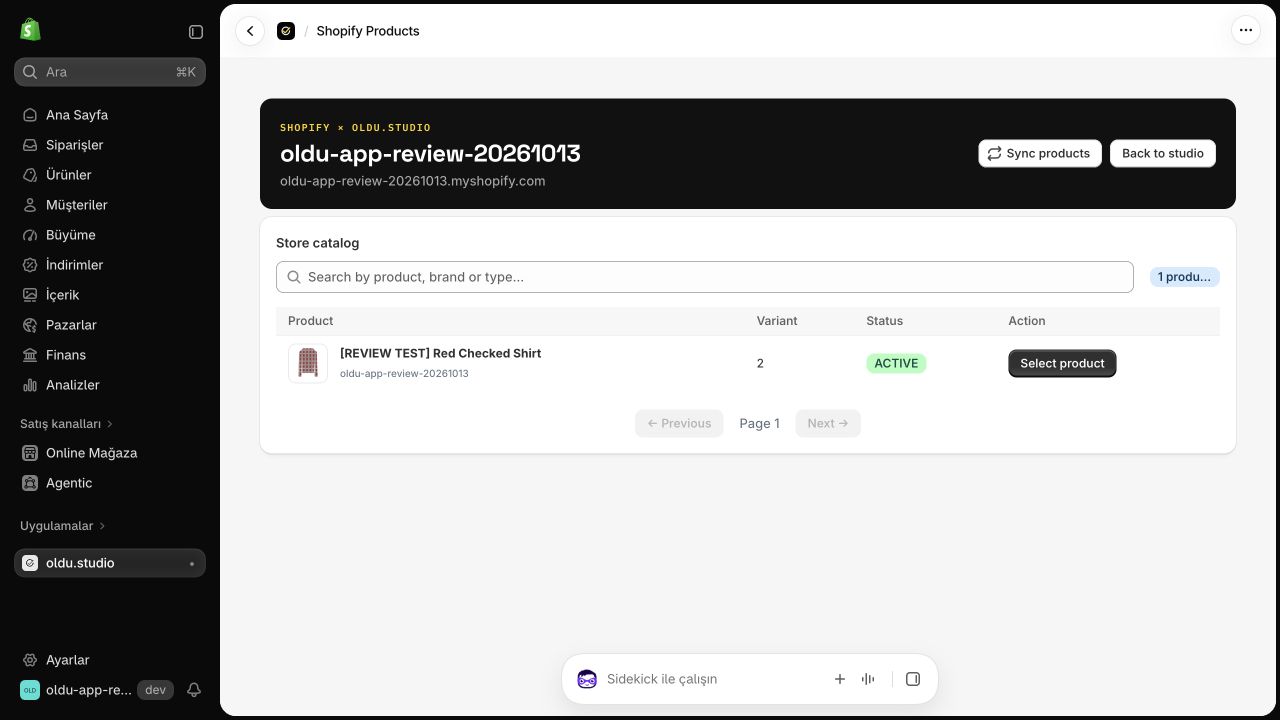
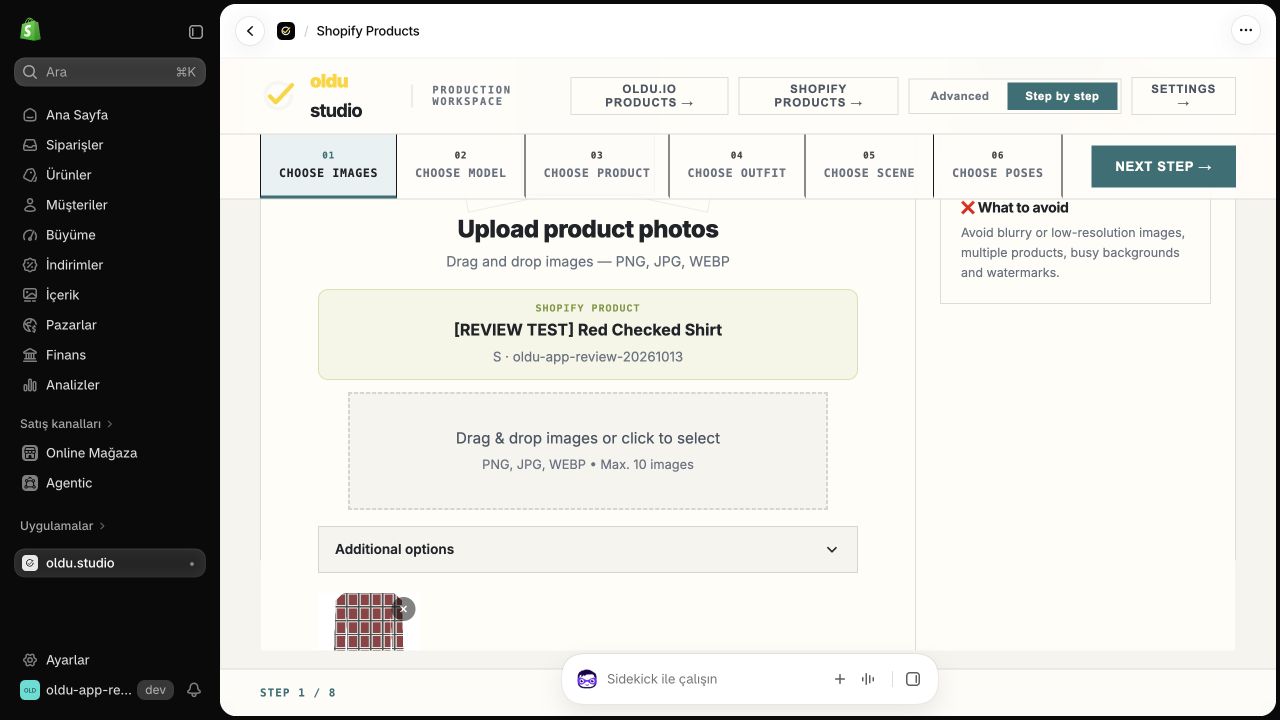
Screenshots show our actual development store. Your store displays your own products.
Watch the generation and Shopify publishing walkthrough ↗How do credits work?
2K and 4K share one balance: 1 credit per 2K image and 2 per 4K image. Paid plan credits renew each billing cycle; unused cycle credits do not roll over. Generation stops when credits run out. There are no overage charges or automatic extra-credit purchases.
Start with 10 one-time trial credits for 10 images at 2K or 5 at 4K. Paid plans have no additional free trial; purchasing starts the selected plan’s cycle allowance.
See plans and my balance